
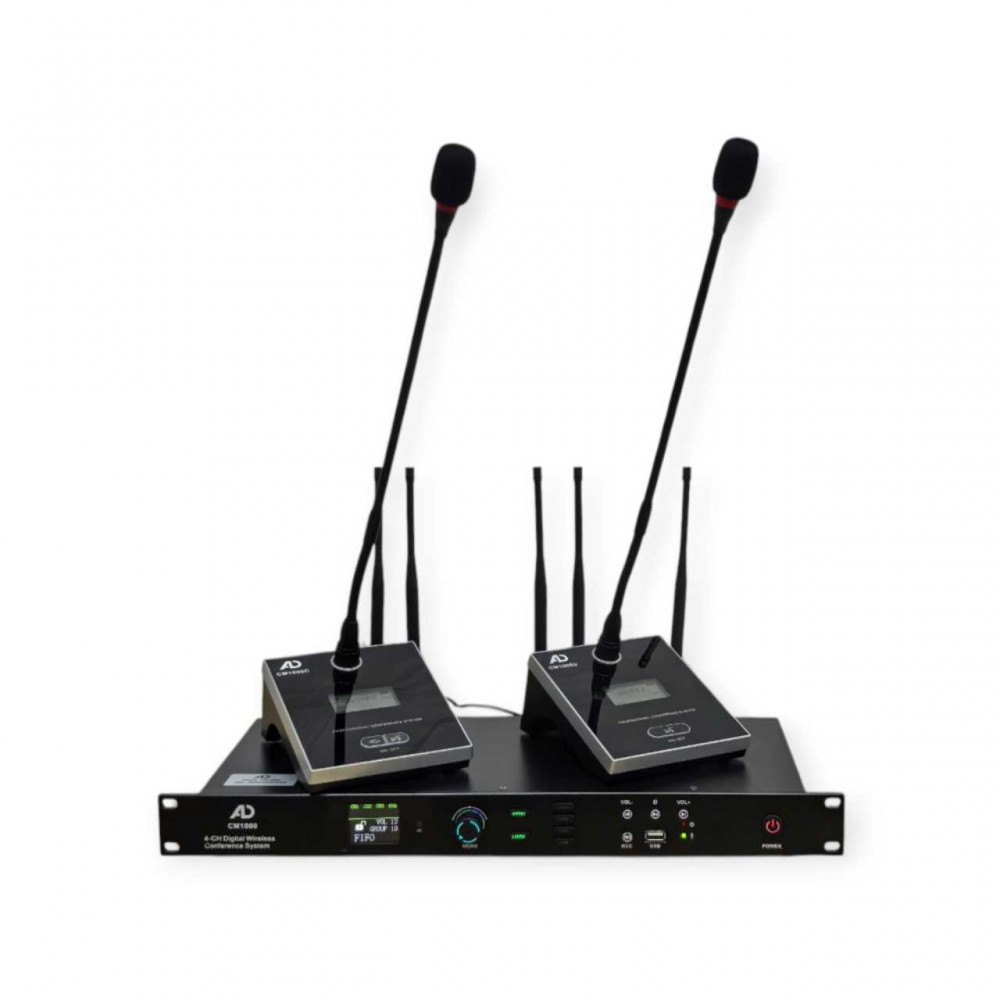
Product Introduction:
1. The system adopts a combination of teaching
character and analog circuit
technology, with a high fidelity circuit design that can produce high-quality audio effects.
2. Use up to 20 sets simultaneously in the
same environment. Each set can support multiple chairpersons and 256 delegates
to use.
3. It has multiple conference modes and
conference recording function.
4. The usage distance is 60-100 meters,
depending on the usage environment!
Receiver parameters:
Usage frequency:640-690MHz Data frequency: 410-470MHz Modulation method:
FM
Frequency response: 50Hz to 15KHz Signal
source sensitivity: -104dbm
Sound output size: 6.35 mixed output 250mV Karon balanced output 140mV
Distortion:<1%
Signal to
noise ratio: 90db
Working voltage: DC12-18V Working current: 750mA
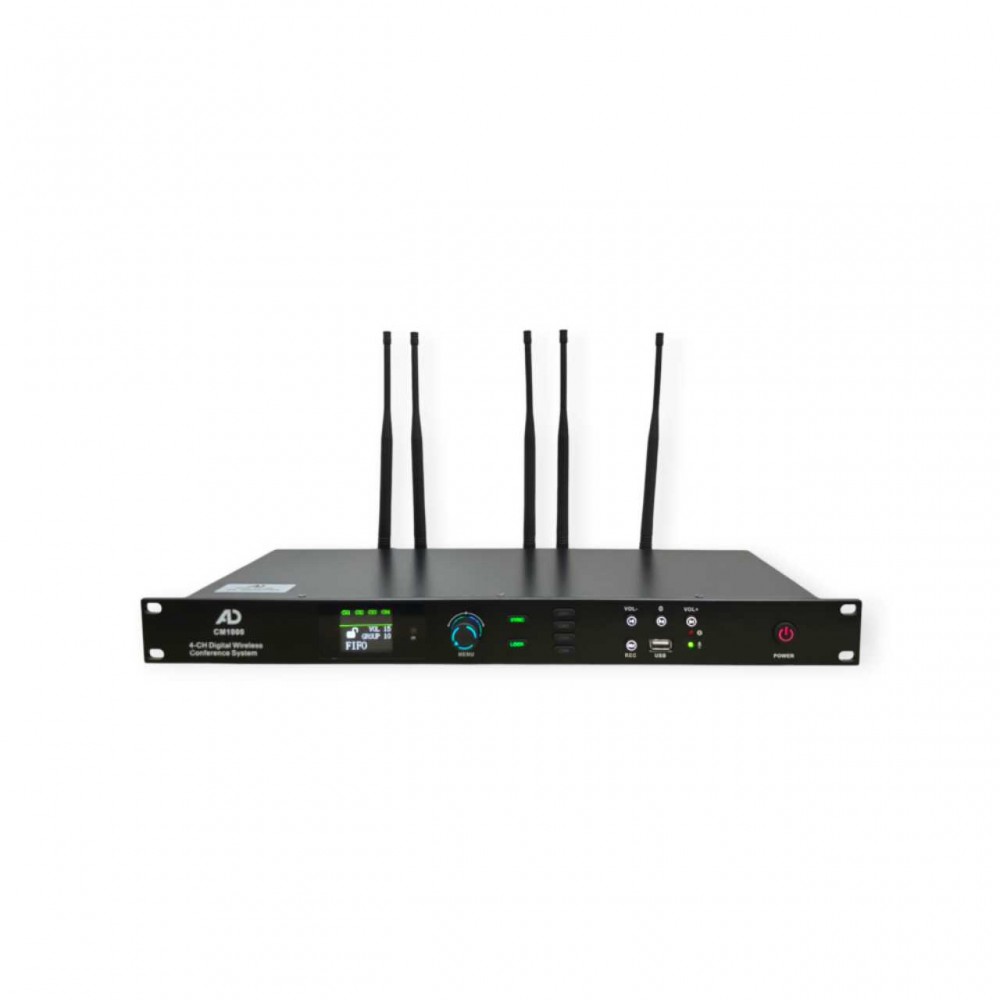
Front
button description:
1. IR: .Infrared to frequency IR
2. MENU:Menu key,press ok
3. SYNC: Press the button to
synchronize the host with the microphone
channel
Long press this button to switch between
Chinese/English
4. LOCK: Press the button to lock
the screen. You cannot change any
information.
Press the button again to release the lock
5. CH1: Press the button and select Channel 1
6. CH2:
Press the button and select Channel 2
7. CH3:
Press the button and select Channel 3
8. CH4:
Press the button and select Channel 4
9. VOL- : Button-back/long press the Mp3 sound
to decrease
10.VOL+ : Button-forward/long press Mp3 sound
Riga
11. : Blinking indicates that the Bluetooth is
connected
12.REC: Record key.Click start click stop
13.USB: USB-U Disk
I
14. : If the button blinks, recording is being
performed
15.POWER: Power switch
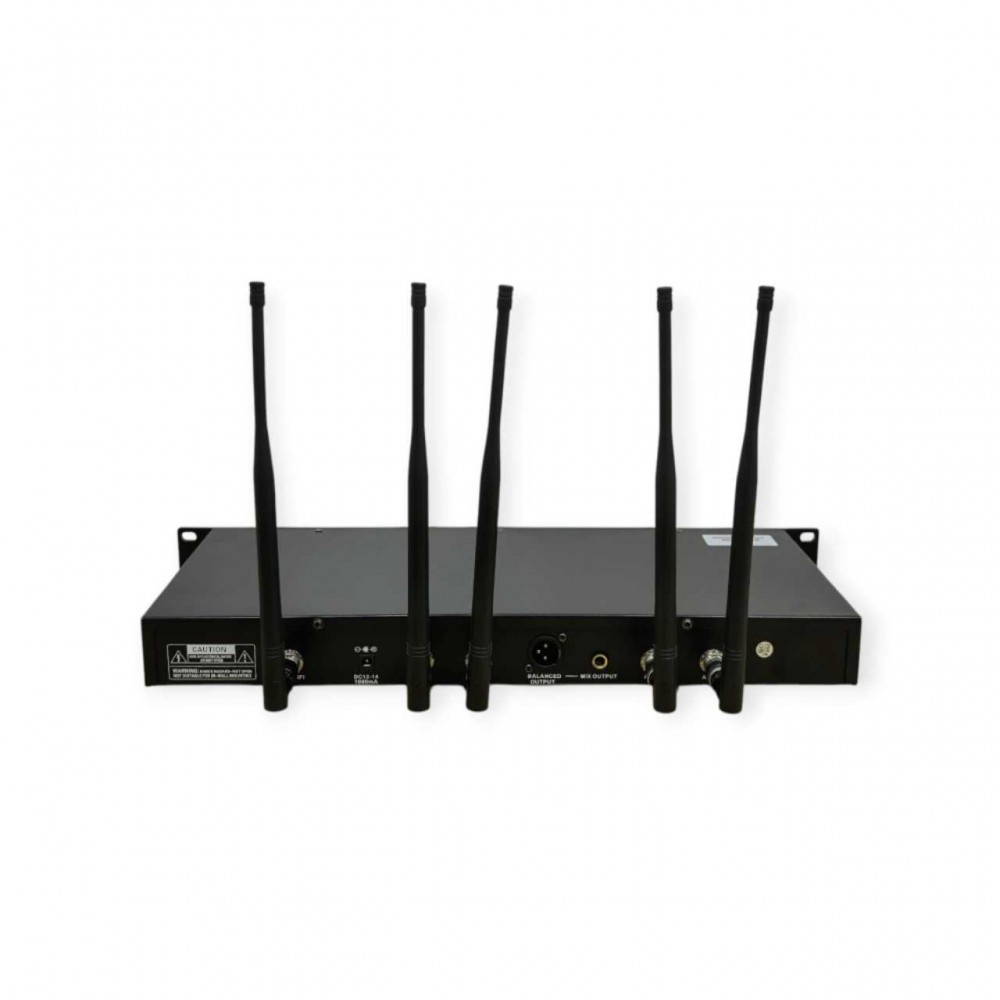
Back button description:
1. ANT WIFI: Plug in wifi antenna
2. DC 12-14: DC12-14V 1000mA power input
3. ANT D: Insert antenna D
4. ANT C: Insert antenna C
5. MIX-BAL: Insert the XLR Canon cable
6. MIX OUT/PUT: Insert the 6.3 Canon cable,
6.35 Audio output.
7. ANT B: Insert antenna B
8. ANT A: Insert antenna A
Conference Microphone Unit Features
1. The microphone is
equipped with a display screen to display the frequency, working status, and
working mode of the microphone.
2. The switch adopts an
imported silent touch switch to ensure the durability of the switch.
3. The ultra-low power
design uses three AA alkaline batteries to continuously work for 8-12 hours.
4. The chairman priority
function can turn off the representative microphone to maintain order in the
venue.
Technical indicators:
Working power supply:
1. DC2.8-4.5V; Power
consumption: 380mW (speaking
state)
2. Audio channel:
Communication mode: UHF wireless mode (unidirectional)
3.Frequency range:
640-690MHz
4. Modulation method: FM
5. Maximum modulation
amount: 50K
6. Radiated power: -F12dBm
7. Frequency deviation: <
15pm.
8.Base size
(length/width/height): 15 * 11.5 * 7cm microphone length: 43CM
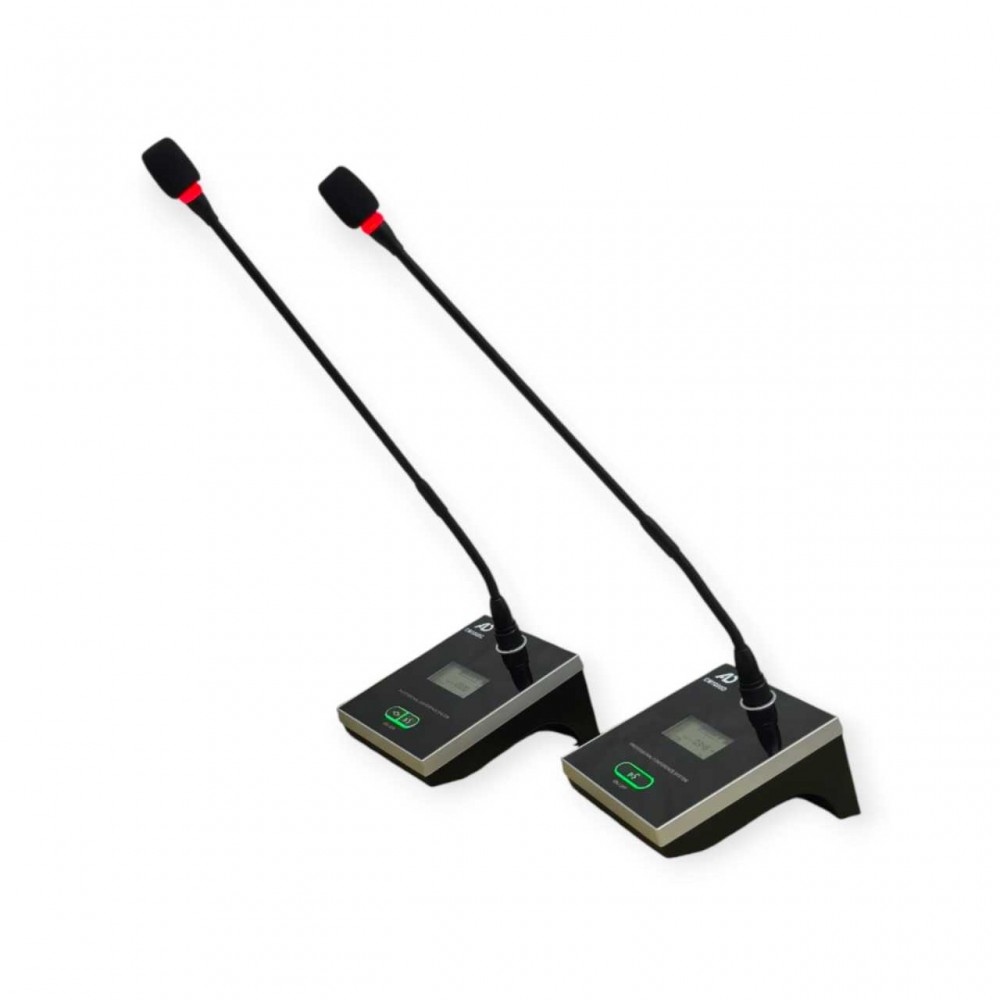
Wireless microphone unit description
1. Pickup head
2. Lamp ring
3. Display screen
4. Speech
button&power switch
5. Control buttons
(Chairman unit only)
Operating instructions
Assign channels to microphones
Frequency matching is an
operation that allows the microphone and host to recognize each other. It
should be done before using the conference system for the first time and when increasing or decreasing the
number of
microphones
1. Keep the microphone
base in a closed state
2.Short press the SYNC button on the host
(front panel io) and rotate it left and right to the desired serial number through
the scroll
wheel (front panel 10)
3. Press and hold the
power on button of the microphone base for at least
5 seconds, and the
microphone base will enter automatic frequency
synchronization mode. After a while, the microphone
will be assigned to the channel selected in
step 2
4. After the current
microphone alignment is completed, the display
screen of the host will
automatically jump to the next sequence number.
If you need to continue
the alignment of other microphones, please repeat step 3. If all microphones have already been aligned,
please briefly press the SYNC button (front panel (D) of the host to exit the alignment mode
Switch Meeting Mode
The host is equipped with a built-in first in, first
out, limited number of speakers, and chairman
only speaking mode, which can meet different occasions according to the needs of the meeting
1. Press the scroll wheel on the front panel (front
panel (2) to enter the conference mode selection
state
2. Rotate the scroll wheel left and right until the
desired meeting mode is reached
3. Wait for 5 seconds for the machine to
automatically complete the settings and return to the homepage
Recording and replay
This conference system is
equipped with a built-in recording and replay module,
which can write/read data from the USB flash drive, serve as conference
records, and play music, audio materials, etc
1. Insert the USB drive into the front panel
interface (i). Front panel light C) slowly
flashes and automatically enters playback mode.lf there are audio files on the USB drive, the host will automatically play in 3 seconds.
AD CONFERENCE SYSTEM
- Brand: AD Professional Audio
- Product Code:CM1000 CM1000C CM1000D
- Availability:In Stock